---
search: en
---
# A make-like build utility based on Lua
[](https://travis-ci.org/tboox/xmake) [](https://ci.appveyor.com/project/waruqi/xmake/branch/master) [](https://gitter.im/tboox/tboox?utm_source=badge&utm_medium=badge&utm_campaign=pr-badge&utm_content=badge) [](http://xmake.io/pages/donation.html#donate)
## Introduction
xmake is a make-like build utility based on lua.
The project focuses on making development and building easier and provides many features (.e.g package, install, plugin, macro, action, option, task ...),
so that any developer can quickly pick it up and enjoy the productivity boost when developing and building project.
## Installation
##### Windows
1. Download xmake installer ([Releases](https://github.com/tboox/xmake/releases))
2. Run xmake-[version].exe
##### MacOS
```bash
$ ruby -e "$(curl -fsSL https://raw.githubusercontent.com/Homebrew/install/master/install)"
$ sudo brew install xmake
```
##### Linux
```bash
$ ruby -e "$(curl -fsSL https://raw.githubusercontent.com/Homebrew/linuxbrew/go/install)"
$ sudo brew install xmake
```
##### Compilation
```bash
$ git clone git@github.com:waruqi/xmake.git
$ cd ./xmake
$ sudo ./install
```
## Quick Start
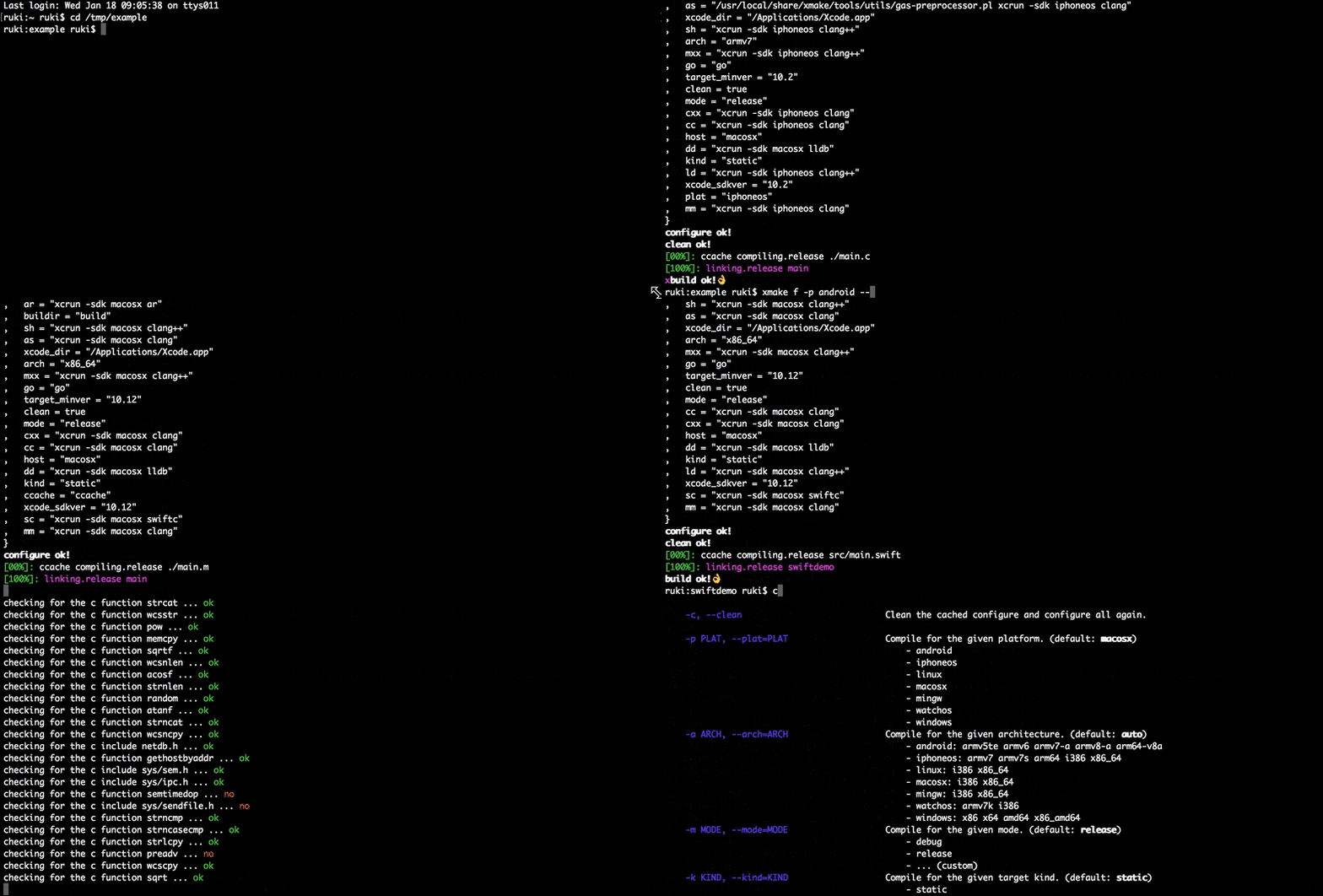
#### Create Project
```bash
$ xmake create -l c -P ./hello
```
And xmake will generate some files for c language project:
```
hello
├── src
│ └── main.c
└── xmake.lua
```
It is a simple console program only for printing `hello xmake!`
The content of `xmake.lua` is very simple:
```lua
target("hello")
set_kind("binary")
add_files("src/*.c")
```
Support languages:
* c/c++
* objc/c++
* asm
* swift
* dlang
* golang
* rust
If you want to known more options, please run: `xmake create --help`
#### Build Project
```bash
$ xmake
```
#### Run Program
```bash
$ xmake run hello
```
#### Debug Program
```bash
$ xmake run -d hello
```
It will start the debugger (.e.g lldb, gdb, windbg, vsjitdebugger, ollydbg ..) to load our program.
```bash
[lldb]$target create "build/hello"
Current executable set to 'build/hello' (x86_64).
[lldb]$b main
Breakpoint 1: where = hello`main, address = 0x0000000100000f50
[lldb]$r
Process 7509 launched: '/private/tmp/hello/build/hello' (x86_64)
Process 7509 stopped
* thread #1: tid = 0x435a2, 0x0000000100000f50 hello`main, queue = 'com.apple.main-thread', stop reason = breakpoint 1.1
frame #0: 0x0000000100000f50 hello`main
hello`main:
-> 0x100000f50 <+0>: pushq %rbp
0x100000f51 <+1>: movq %rsp, %rbp
0x100000f54 <+4>: leaq 0x2b(%rip), %rdi ; "hello world!"
0x100000f5b <+11>: callq 0x100000f64 ; symbol stub for: puts
[lldb]$
```
You can also use short command option, for exmaple: `xmake r` or `xmake run`
## Configuration
#### Target Platforms
##### Current Host
```bash
$ xmake
```
XMake will detect the current host platform automatically and build project.
##### Linux
```bash
$ xmake f -p linux [-a i386|x86_64]
$ xmake
```
##### Android
```bash
$ xmake f -p android --ndk=~/files/android-ndk-r10e/ [-a armv5te|armv6|armv7-a|armv8-a|arm64-v8a]
$ xmake
```
##### iPhoneOS
```bash
$ xmake f -p iphoneos [-a armv7|armv7s|arm64|i386|x86_64]
$ xmake
```
##### Windows
```bash
$ xmake f -p windows [-a x86|x64]
$ xmake
```
##### Mingw
```bash
$ xmake f -p mingw --sdk=/usr/local/i386-mingw32-4.3.0/ [-a i386|x86_64]
$ xmake
```
##### Apple WatchOS
```bash
$ xmake f -p watchos [-a i386|armv7k]
$ xmake
```
##### Cross Compilation
```bash
$ xmake f -p linux --sdk=/usr/local/arm-linux-gcc/ [--toolchains=/sdk/bin] [--cross=arm-linux-]
$ xmake
```
You can use short or long command option, for exmaple:
`xmake f` or `xmake config`.
`xmake f -p linux` or `xmake config --plat=linux`.
`xmake f -p linux -a i386` or `xmake config --plat=linux --arch=i386`.
And if you want to known more options, please run: `xmake f --help`
#### Global Configuration
You can save to the global configuration for simplfying operation.
For example:
```bash
$ xmake g --ndk=~/files/android-ndk-r10e/
```
Now, we config and build project for android again.
```bash
$ xmake f -p android
$ xmake
```
You can use short or long command option, for exmaple: `xmake g` or `xmake global`.
#### Clean Configuration
We can clean all cached configuration and re-configure projecct.
```bash
$ xmake f -c
$ xmake
```
or
```bash
$ xmake f -p iphoneos -c
$ xmake
```
## FAQ
#### How to get verbose command-line arguments info?
Get the help info of the main command.
```bash
$ xmake [-h|--help]
```
Get the help info of the configuration command.
```bash
$ xmake f [-h|--help]
```
Get the help info of the givent action or plugin command.
```bash
$ xmake [action|plugin] [-h|--help]
```
For example:
```bash
$ xmake run --help
```
#### How to suppress all output info?
```bash
$ xmake [-q|--quiet]
```
#### How to do if xmake fails?
Please attempt to clean configuration and rebuild it first.
```bash
$ xmake f -c
$ xmake
```
If it fails again, please add `-v` or `--verbose` options to get more verbose info.
For exmaple:
```hash
$ xmake -v
$ xmake --verbose
```
And add `--backtrace` to get the verbose backtrace info, then you can submit these infos to [issues](https://github.com/tboox/xmake/issues).
```bash
$ xmake -v --backtrace
```