1
2
3
4
5
6
7
8
9
10
11
12
13
14
15
16
17
18
19
20
21
22
23
24
25
26
27
28
29
30
31
32
33
34
35
36
37
38
39
40
41
42
43
44
45
46
47
48
49
50
51
52
53
54
55
56
57
58
59
60
61
62
63
64
65
66
67
68
69
70
71
72
73
74
75
76
77
78
79
80
81
82
83
84
85
86
87
88
89
90
91
92
93
94
95
96
97
98
99
100
101
102
103
104
105
106
107
108
109
110
111
112
113
114
115
116
117
118
119
120
121
122
123
124
125
126
127
128
129
130
131
132
133
134
135
136
137
138
139
140
141
142
143
144
145
146
147
148
149
150
151
152
153
154
155
156
157
158
159
160
161
162
163
164
165
166
167
168
169
170
171
172
173
174
175
176
177
178
179
180
181
182
183
184
185
186
187
188
189
190
191
192
193
194
195
196
197
198
199
200
201
202
203
204
205
206
207
208
209
210
211
212
213
214
215
216
217
218
219
220
221
222
223
224
225
226
227
228
229
230
231
232
233
234
235
236
237
238
239
240
241
242
243
244
245
246
247
248
249
250
251
252
253
254
255
256
257
258
259
260
261
262
263
264
265
266
267
268
269
270
271
272
273
274
275
276
277
278
279
280
281
282
283
284
285
286
287
288
289
290
291
292
293
294
295
296
297
298
299
300
301
302
303
304
305
306
307
308
309
310
311
312
313
314
315
316
317
|
<div align="center">
<a href="http://xmake.io">
<img width="200" heigth="200" src="http://tboox.org/static/img/xmake/logo256c.png">
</a>
<h1>xmake</h1>
<div>
<a href="https://travis-ci.org/tboox/xmake">
<img src="https://img.shields.io/travis/tboox/xmake/master.svg?style=flat-square" alt="travis-ci" />
</a>
<a href="https://ci.appveyor.com/project/waruqi/xmake/branch/master">
<img src="https://img.shields.io/appveyor/ci/waruqi/xmake/master.svg?style=flat-square" alt="appveyor-ci" />
</a>
<a href="https://codecov.io/gh/tboox/xmake">
<img src="https://img.shields.io/codecov/c/github/tboox/xmake/master.svg?style=flat-square" alt="Coverage" />
</a>
<a href="https://github.com/tboox/xmake/releases">
<img src="https://img.shields.io/github/release/tboox/xmake.svg?style=flat-square" alt="Github All Releases" />
</a>
<a href="https://github.com/tboox/xmake/releases">
<img src="https://img.shields.io/github/downloads/tboox/xmake/total.svg?style=flat-square" alt="Downloads" />
</a>
</div>
<div>
<a href="https://github.com/tboox/xmake/blob/master/LICENSE.md">
<img src="https://img.shields.io/github/license/tboox/xmake.svg?colorB=f48041&style=flat-square" alt="license" />
</a>
<a href="https://gitter.im/tboox/tboox?utm_source=badge&utm_medium=badge&utm_campaign=pr-badge&utm_content=badge">
<img src="https://img.shields.io/gitter/room/tboox/tboox.svg?style=flat-square&colorB=96c312" alt="Gitter" />
</a>
<a href="http://xmake.io/pages/donation.html#donate">
<img src="https://img.shields.io/badge/donate-us-orange.svg?style=flat-square" alt="Donate" />
</a>
</div>
<p>A make-like build utility based on Lua</p>
</div>
## Introduction ([中文](/README_zh.md))
xmake is a make-like build utility based on lua.
The project focuses on making development and building easier and provides many features (.e.g package, install, plugin, macro, action, option, task ...),
so that any developer can quickly pick it up and enjoy the productivity boost when developing and building project.
If you want to known more, please refer to:
* [Documents](http://xmake.io/#/home)
* [HomePage](http://www.xmake.io)
* [Github](https://github.com/tboox/xmake)
* [Gitee](https://gitee.com/tboox/xmake)
## Installation
##### via curl
```bash
$ bash <(curl -fsSL http://xmake.io/get.sh)
```
##### via wget
```bash
$ bash <(wget http://xmake.io/get.sh -O -)
```
##### via powershell
```bash
$ Invoke-Expression (Invoke-Webrequest 'http://xmake.io/get.ps1' -UseBasicParsing).Content
```
## Simple description
```lua
target("console")
set_kind("binary")
add_files("src/*.c")
```
## Build project
```bash
$ xmake
```
## Run target
```bash
$ xmake run console
```
## Debug target
```bash
$ xmake run -d console
```
## Support features
* Tasks
* Macros
* Actions
* Options
* Plugins
* Templates
## Support platforms
* Windows (x86, x64, amd64, x86_amd64)
* Macosx (i386, x86_64)
* Linux (i386, x86_64, cross-toolchains ...)
* Android (armv5te, armv6, armv7-a, armv8-a, arm64-v8a)
* iPhoneOS (armv7, armv7s, arm64, i386, x86_64)
* WatchOS (armv7k, i386)
* Mingw (i386, x86_64)
## Support Languages
* C/C++
* Objc/Objc++
* Swift
* Assembly
* Golang
* Rust
* Dlang
## Builtin Plugins
* Macros script plugin
* Run the custom lua script plugin
* Generate IDE project file plugin(makefile, vs2002 - vs2017 .. )
* Generate doxygen document plugin
## More Plugins
Please download and install from the plugins repository [xmake-plugins](https://github.com/tboox/xmake-plugins).
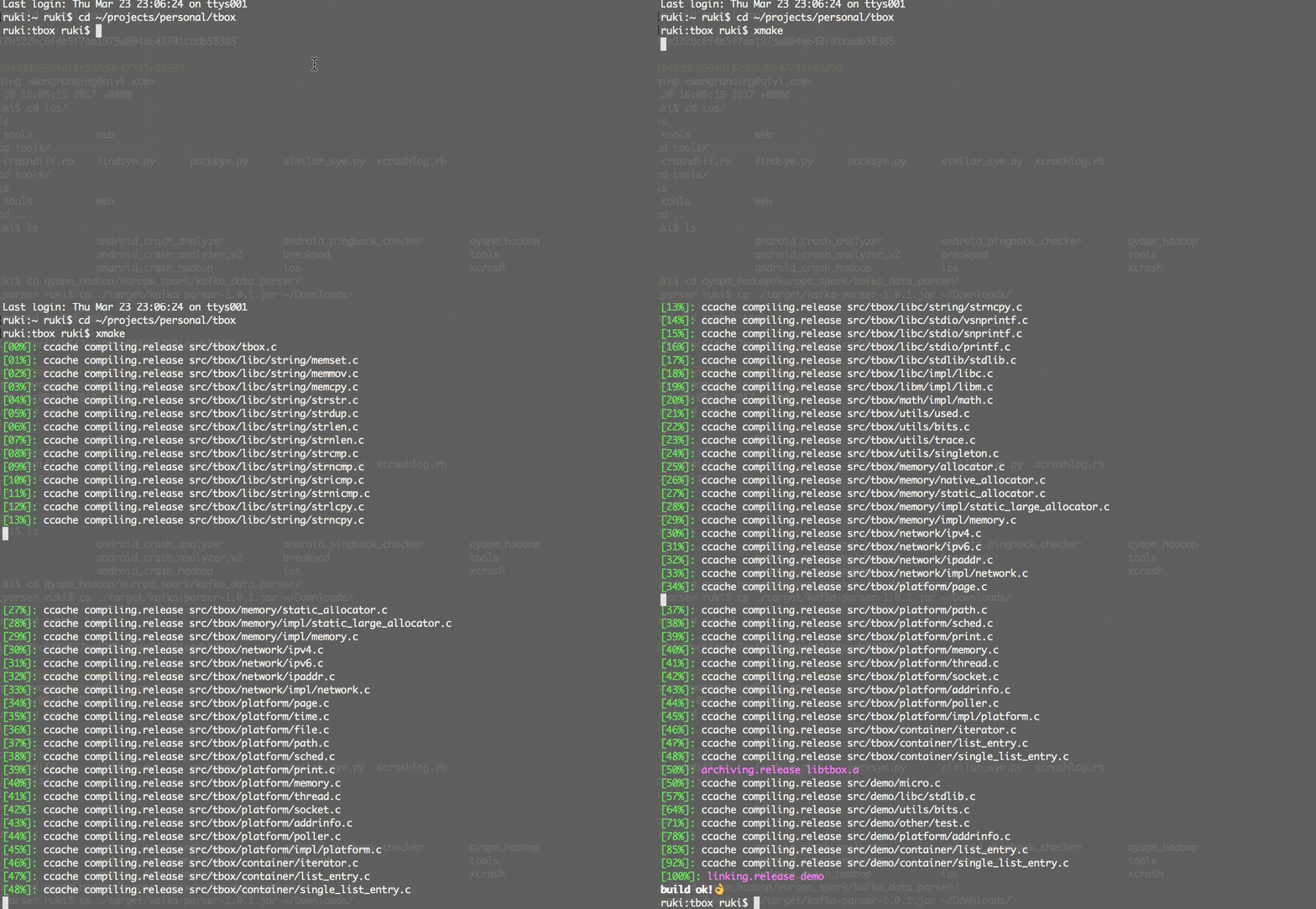
## Examples
[](http://www.xmake.io)
Create a c++ console project:
```bash
xmake create -l c++ -t 1 console
or xmake create --language=c++ --template=1 console
```
Project xmakefile: xmake.lua
```lua
target("console")
set_kind("binary")
add_files("src/*.c")
```
Configure project:
This is optional, if you compile the targets only for linux, macosx and windows and the default compilation mode is release.
```bash
xmake f -p iphoneos -m debug
or xmake f --plat=macosx --arch=x86_64
or xmake f -p windows
or xmake config --plat=iphoneos --mode=debug
or xmake config --plat=android --arch=armv7-a --ndk=xxxxx
or xmake config -p linux -a i386
or xmake config -p mingw --cross=i386-mingw32- --toolchains=/xxx/bin
or xmake config -p mingw --sdk=/mingwsdk
or xmake config --help
```
Compile project:
```bash
xmake
or xmake -r
or xmake --rebuild
```
Run target:
```bash
xmake r console
or xmake run console
```
Debug target:
```bash
xmake r -d console
or xmake run -d console
```
Package all:
```bash
xmake p
or xmake package
or xmake package console
or xmake package -o /tmp
or xmake package --output=/tmp
```
Package all archs using macro:
```bash
xmake m package
or xmake m package -p iphoneos
or xmake m package -p macosx -f "-m debug" -o /tmp/
or xmake m package --help
```
Install targets:
```bash
xmake i
or xmake install
or xmake install console
or xmake install -o /tmp
or xmake install --output=/tmp
```
If you need known more detailed usage,please refer to [documents](https://github.com/waruqi/xmake/wiki/documents)
or run:
```bash
xmake -h
or xmake --help
or xmake config --help
or xmake package --help
or xmake macro --help
...
```
The simple xmake.lua file:
```c
-- the debug mode
if is_mode("debug") then
-- enable the debug symbols
set_symbols("debug")
-- disable optimization
set_optimize("none")
end
-- the release mode
if is_mode("release") then
-- set the symbols visibility: hidden
set_symbols("hidden")
-- enable fastest optimization
set_optimize("fastest")
-- strip all symbols
set_strip("all")
end
-- add target
target("test")
-- set kind
set_kind("static")
-- add files
add_files("src/*.c")
```
If you want to know more, please refer to:
## Documents
* [Documents](https://github.com/waruqi/xmake/wiki/documents)
* [Codes](https://github.com/waruqi/xmake)
## Projects
Some projects using xmake:
* [tbox](https://github.com/waruqi/tbox)
* [gbox](https://github.com/waruqi/gbox)
* [libsvx](https://github.com/caikelun/libsvx)
* [more](https://github.com/waruqi/xmake/wiki/xmake-projects)
## Contacts
* Email:[[email protected]](mailto:[email protected])
* Homepage:[tboox.org](http://www.tboox.org)
* Community:[tboox@community](https://github.com/tboox/community/issues)
## Backers
Thank you to all our backers! 🙏 [[Become a backer](https://opencollective.com/xmake#backer)]
<a href="https://opencollective.com/xmake#backers" target="_blank"><img src="https://opencollective.com/xmake/backers.svg?width=890"></a>
## Sponsors
Support this project by becoming a sponsor. Your logo will show up here with a link to your website. [[Become a sponsor](https://opencollective.com/xmake#sponsor)]
<a href="https://opencollective.com/xmake/sponsor/0/website" target="_blank"><img src="https://opencollective.com/xmake/sponsor/0/avatar.svg"></a>
<a href="https://opencollective.com/xmake/sponsor/1/website" target="_blank"><img src="https://opencollective.com/xmake/sponsor/1/avatar.svg"></a>
<a href="https://opencollective.com/xmake/sponsor/2/website" target="_blank"><img src="https://opencollective.com/xmake/sponsor/2/avatar.svg"></a>
<a href="https://opencollective.com/xmake/sponsor/3/website" target="_blank"><img src="https://opencollective.com/xmake/sponsor/3/avatar.svg"></a>
<a href="https://opencollective.com/xmake/sponsor/4/website" target="_blank"><img src="https://opencollective.com/xmake/sponsor/4/avatar.svg"></a>
<a href="https://opencollective.com/xmake/sponsor/5/website" target="_blank"><img src="https://opencollective.com/xmake/sponsor/5/avatar.svg"></a>
<a href="https://opencollective.com/xmake/sponsor/6/website" target="_blank"><img src="https://opencollective.com/xmake/sponsor/6/avatar.svg"></a>
<a href="https://opencollective.com/xmake/sponsor/7/website" target="_blank"><img src="https://opencollective.com/xmake/sponsor/7/avatar.svg"></a>
<a href="https://opencollective.com/xmake/sponsor/8/website" target="_blank"><img src="https://opencollective.com/xmake/sponsor/8/avatar.svg"></a>
<a href="https://opencollective.com/xmake/sponsor/9/website" target="_blank"><img src="https://opencollective.com/xmake/sponsor/9/avatar.svg"></a>
|
