1
2
3
4
5
6
7
8
9
10
11
12
13
14
15
16
17
18
19
20
21
22
23
24
25
26
27
28
29
30
31
32
33
34
35
36
37
38
39
40
41
42
43
44
45
46
47
48
49
50
51
52
53
54
55
56
57
58
59
60
61
62
63
64
65
66
67
68
69
70
71
72
73
74
75
76
77
78
79
80
81
82
83
84
85
86
87
88
89
90
91
92
93
94
95
96
97
98
99
100
101
102
103
104
105
106
107
108
109
110
111
112
113
114
115
116
117
118
119
120
121
122
123
124
125
126
127
128
129
130
131
132
133
134
135
136
137
138
139
140
141
142
143
144
145
146
147
148
149
150
151
152
153
154
155
156
157
158
159
160
161
162
163
164
165
166
167
168
169
170
171
172
173
174
175
176
177
178
179
180
181
182
183
184
185
186
187
188
189
190
191
192
193
194
195
196
197
198
199
200
201
202
203
204
205
206
207
208
209
210
211
212
213
214
215
216
217
218
219
220
221
222
223
224
225
226
227
228
229
230
231
232
233
234
235
|
# 一个基于Lua的轻量级跨平台自动构建工具
[](https://travis-ci.org/tboox/xmake) [](https://ci.appveyor.com/project/waruqi/xmake/branch/master) [](https://gitter.im/tboox/tboox?utm_source=badge&utm_medium=badge&utm_campaign=pr-badge&utm_content=badge) [](http://xmake.io/cn/pages/donation.html#donate)
## 简介
XMake是一个基于Lua的轻量级跨平台自动构建工具,支持在各种主流平台上构建项目
xmake的目标是开发者更加关注于项目本身开发,简化项目的描述和构建,并且提供平台无关性,使得一次编写,随处构建
它跟cmake、automake、premake有点类似,但是机制不同,它默认不会去生成IDE相关的工程文件,采用直接编译,并且更加的方便易用
采用lua的工程描述语法更简洁直观,支持在大部分常用平台上进行构建,以及交叉编译
并且xmake提供了创建、配置、编译、打包、安装、卸载、运行等一些actions,使得开发和构建更加的方便和流程化。
不仅如此,它还提供了许多更加高级的特性,例如插件扩展、脚本宏记录、批量打包、自动文档生成等等。。
如果你想要了解更多,请参考:
* [在线文档](http://xmake.io/#/zh/)
* [在线源码](https://github.com/waruqi/xmake)
* [项目主页](http://www.xmake.io/cn)
## 简单的工程描述
```lua
target("console")
set_kind("binary")
add_files("src/*.c")
```
## 构建工程
```bash
$ xmake
```
## 运行目标
```bash
$ xmake run console
```
## 调试程序
```bash
$ xmake run -d console
```
## 支持特性
* Tasks
* Macros
* Actions
* Options
* Plugins
* Templates
## 支持平台
* Windows (x86, x64, amd64, x86_amd64)
* Macosx (i386, x86_64)
* Linux (i386, x86_64, cross-toolchains ...)
* Android (armv5te, armv6, armv7-a, armv8-a, arm64-v8a)
* iPhoneOS (armv7, armv7s, arm64, i386, x86_64)
* WatchOS (armv7k, i386)
* Mingw (i386, x86_64)
## 支持语言
* C/C++
* Objc/Objc++
* Swift
* Assembly
* Golang
* Rust
* Dlang
## 内置插件
* 宏记录脚本和回放插件
* 加载自定义lua脚本插件
* 生成IDE工程文件插件(makefile, vs2002 - vs2017, ...)
* 生成doxygen文档插件
* iOS app2ipa插件
## 简单例子
[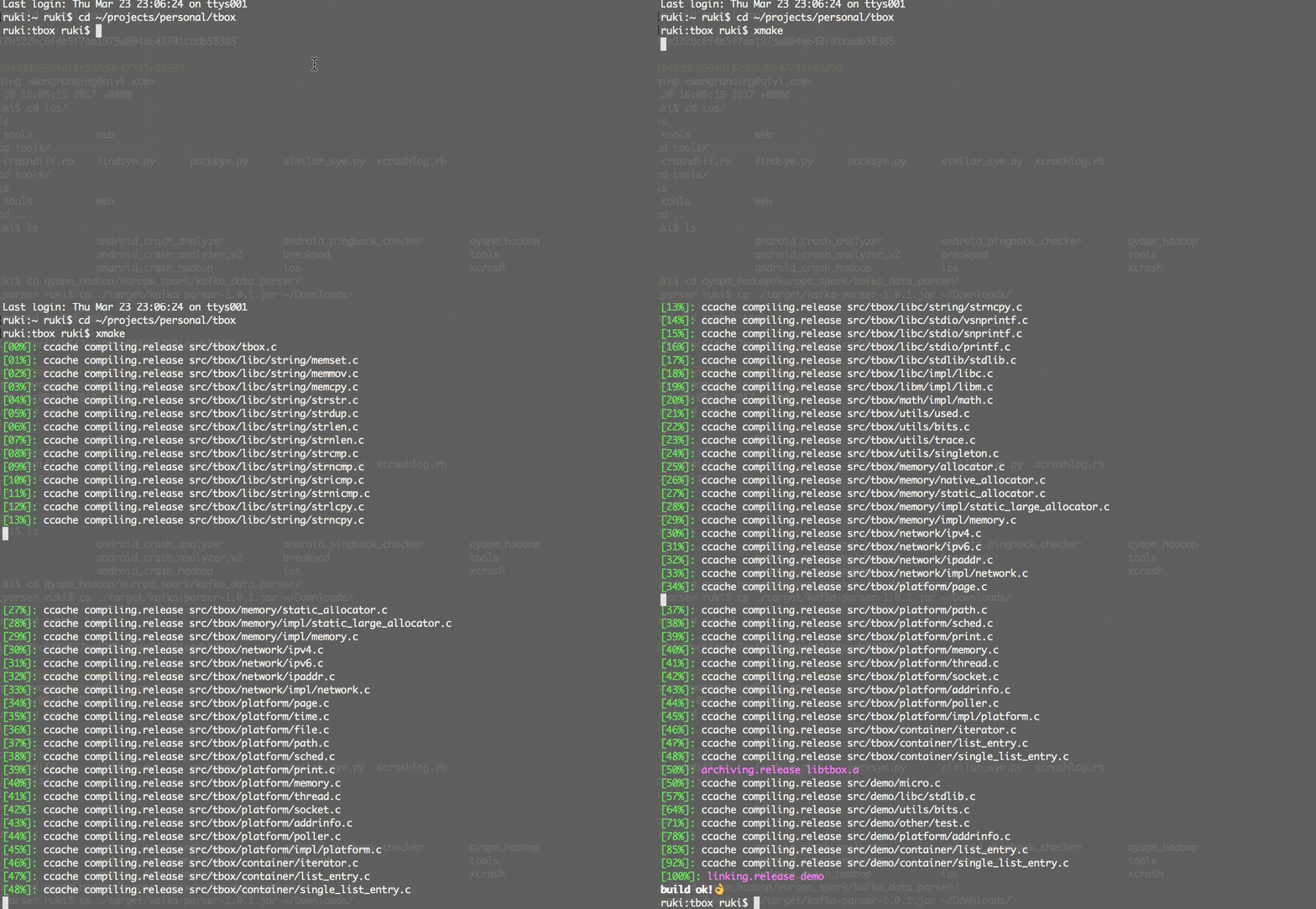](http://www.xmake.io/cn)
创建一个c++ console项目:
```bash
xmake create -l c++ -t 1 console
or xmake create --language=c++ --template=1 console
```
工程描述文件:xmake.lua
```lua
target("console")
set_kind("binary")
add_files("src/*.c")
```
配置工程:
这个是可选的步骤,如果只想编译当前主机平台的项目,是可以不用配置的,默认编译release版本。
```bash
xmake f -p iphoneos -m debug
or xmake f --plat=macosx --arch=x86_64
or xmake f -p windows
or xmake config --plat=iphoneos --mode=debug
or xmake config --plat=android --arch=armv7-a --ndk=xxxxx
or xmake config -p linux -a i386
or xmake config -p mingw --cross=i386-mingw32- --toolchains=/xxx/bin
or xmake config -p mingw --sdk=/mingwsdk
or xmake config --help
```
编译工程:
```bash
xmake
or xmake -r
or xmake --rebuild
```
运行目标:
```bash
xmake r console
or xmake run console
```
调试目标:
```bash
xmake r -d console
or xmake run -d console
```
打包所有:
```bash
xmake p
or xmake package
or xmake package console
or xmake package -o /tmp
or xmake package --output=/tmp
```
通过宏脚本打包所有架构:
```bash
xmake m package
or xmake m package -p iphoneos
or xmake m package -p macosx -f "-m debug" -o /tmp/
or xmake m package --help
```
安装目标:
```bash
xmake i
or xmake install
or xmake install console
or xmake install -o /tmp
or xmake install --output=/tmp
```
详细使用方式和参数说明,请参考[文档](https://github.com/waruqi/xmake/wiki/%E7%9B%AE%E5%BD%95)
或者运行:
```bash
xmake -h
or xmake --help
or xmake config --help
or xmake package --help
or xmake macro --help
...
```
## 一些使用xmake的项目:
* [tbox](https://github.com/waruqi/tbox)
* [gbox](https://github.com/waruqi/gbox)
* [libsvx](https://github.com/caikelun/libsvx)
* [更多项目](https://github.com/waruqi/xmake/wiki/%E4%BD%BF%E7%94%A8xmake%E7%9A%84%E5%BC%80%E6%BA%90%E5%BA%93)
## 简单例子
```c
-- the debug mode
if is_mode("debug") then
-- enable the debug symbols
set_symbols("debug")
-- disable optimization
set_optimize("none")
end
-- the release mode
if is_mode("release") then
-- set the symbols visibility: hidden
set_symbols("hidden")
-- enable fastest optimization
set_optimize("fastest")
-- strip all symbols
set_strip("all")
end
-- add target
target("test")
-- set kind
set_kind("static")
-- add files
add_files("src/*.c")
```
## 联系方式
* 邮箱:[[email protected]](mailto:[email protected])
* 主页:[TBOOX开源工程](http://www.tboox.org/cn)
* 社区:[TBOOX开源社区](http://www.tboox.org/forum)
* QQ群:343118190
* 微信公众号:tboox-os
|
